CSS地圖教學
1. Once you have downloaded the map, you want to extract or unzip the map. Shown here:
2. After you extracted or unziped, it should look something like this:
3. The next step would be going to your SteamApps file which is located at: C:\Program Files\Steam
4. Now that your in your SteamApps file, go into your account name. Shown here: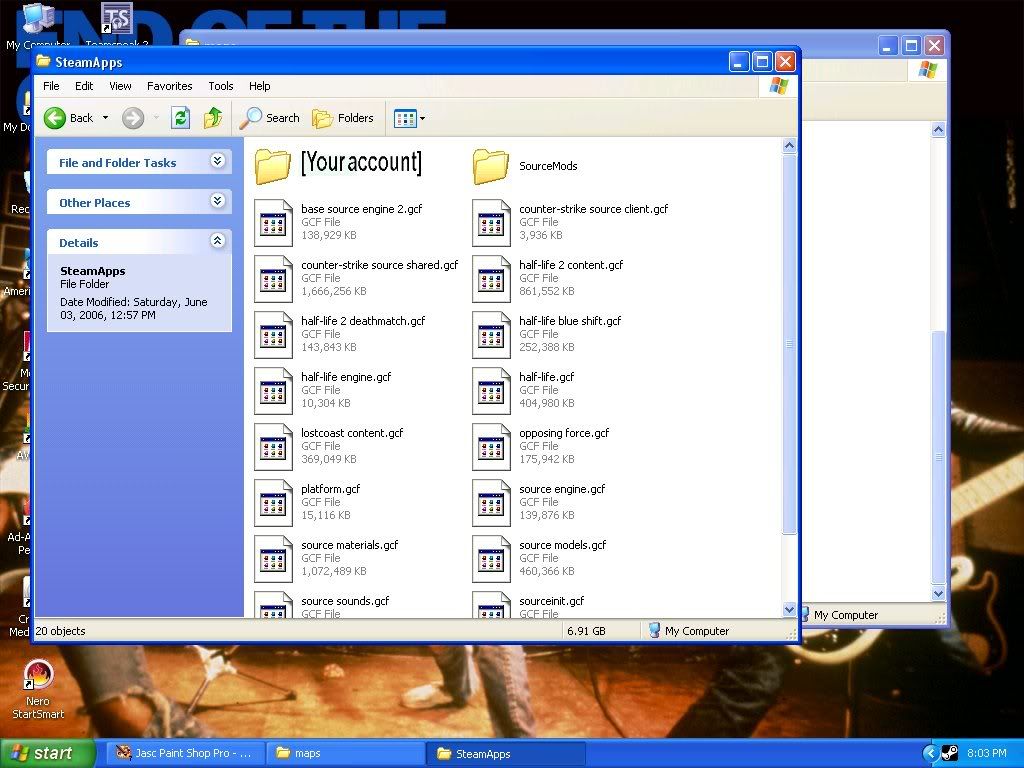
5. Now go into your Counter Strike:Source file. Shown here: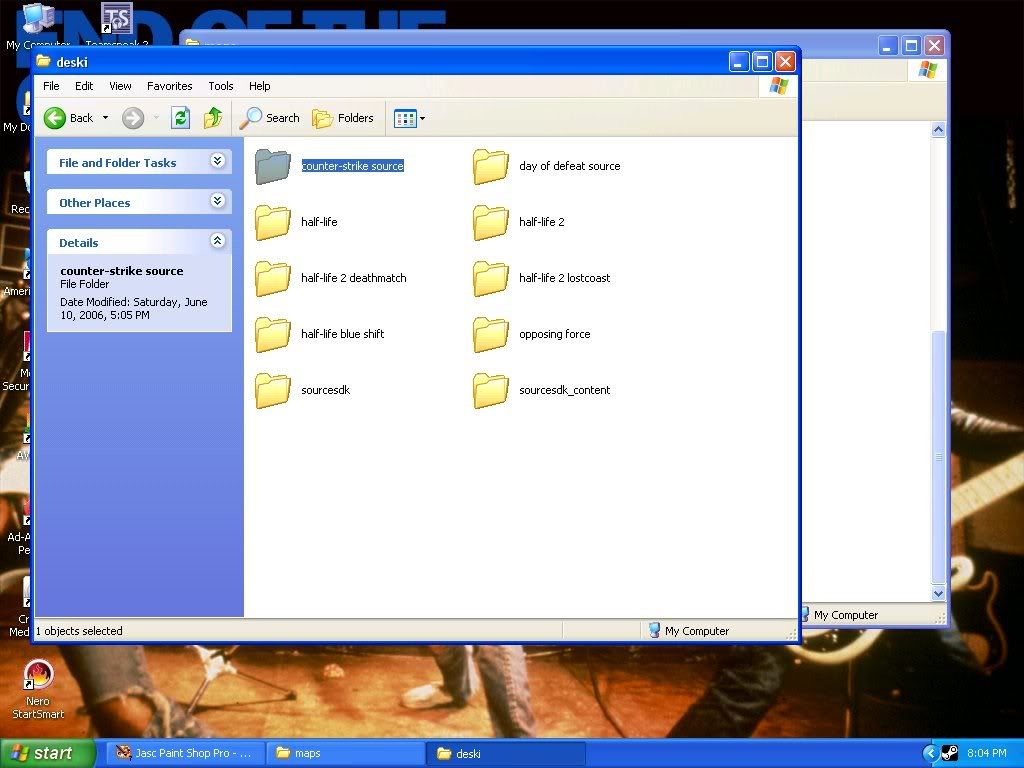
6. Now go into your cstrike file. Shown here:
7. Now have your cstrike file and the file with your map both on the screen. Shown here:
8. Now your going to drag the files for your map onto the cstrike folder. Shown here:
9. It will ask you if you want to replace or copy the folders. Hit yes to all. Shown here:
10. When it finishes, your map has been installed. | |

